This is receivables automation for a construction company in New Zealand, and it is partly live. We connected AI agents to Google Drive quotes, Xero and Lark. The invoicing workflow went live on 24 July 2026. Reminder drafts first ran across all overdue invoices on 31 August 2026 and are never sent automatically. Four-tier risk cards were demonstrated on 9 September 2026 and remain at demo stage.
How it worked before
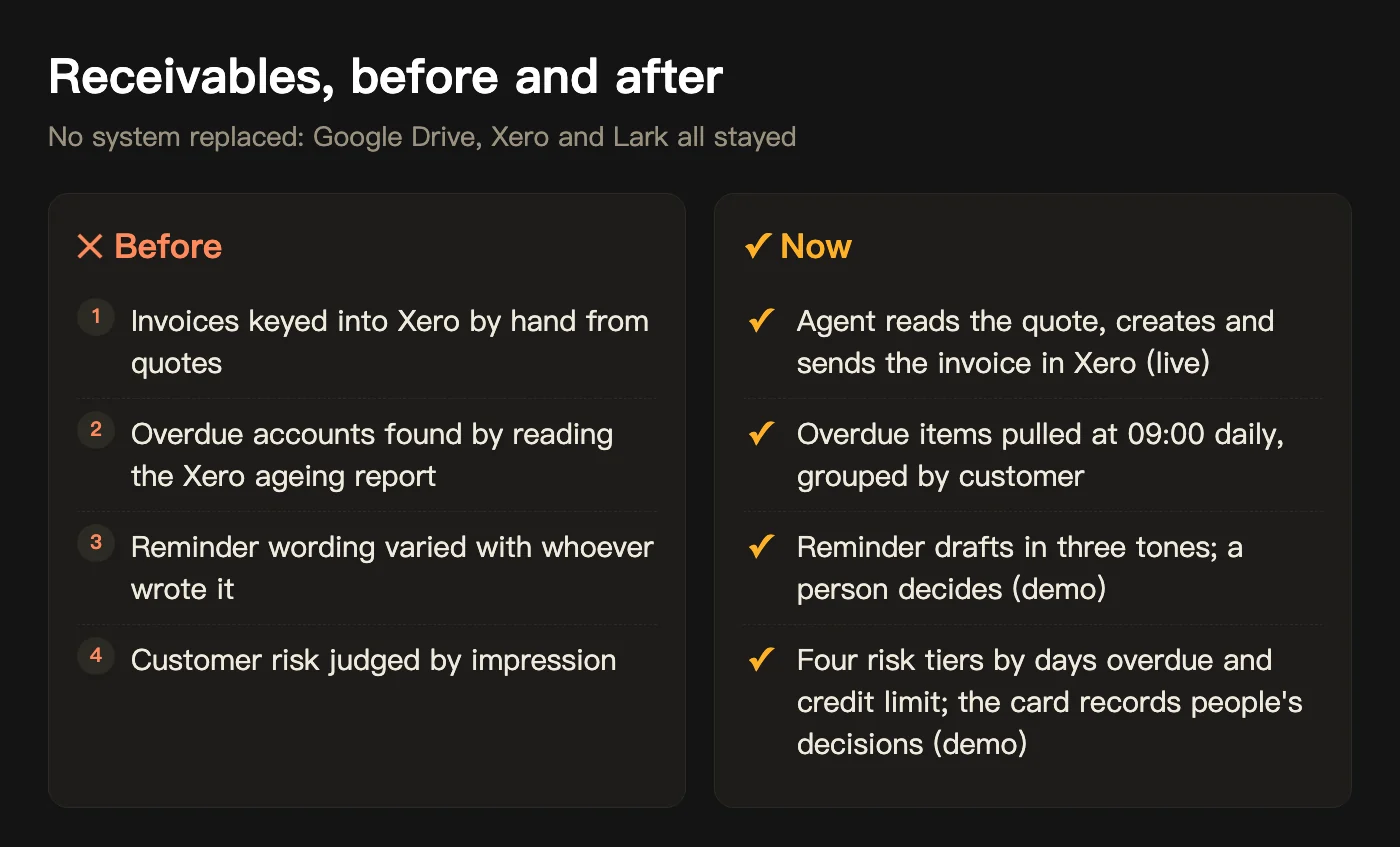
Invoices were keyed into Xero by hand from quotes. Finding overdue accounts meant reading the Xero ageing report. Reminder emails had no agreed wording, so the tone depended on who wrote them and when.
What AI does now, and what people do
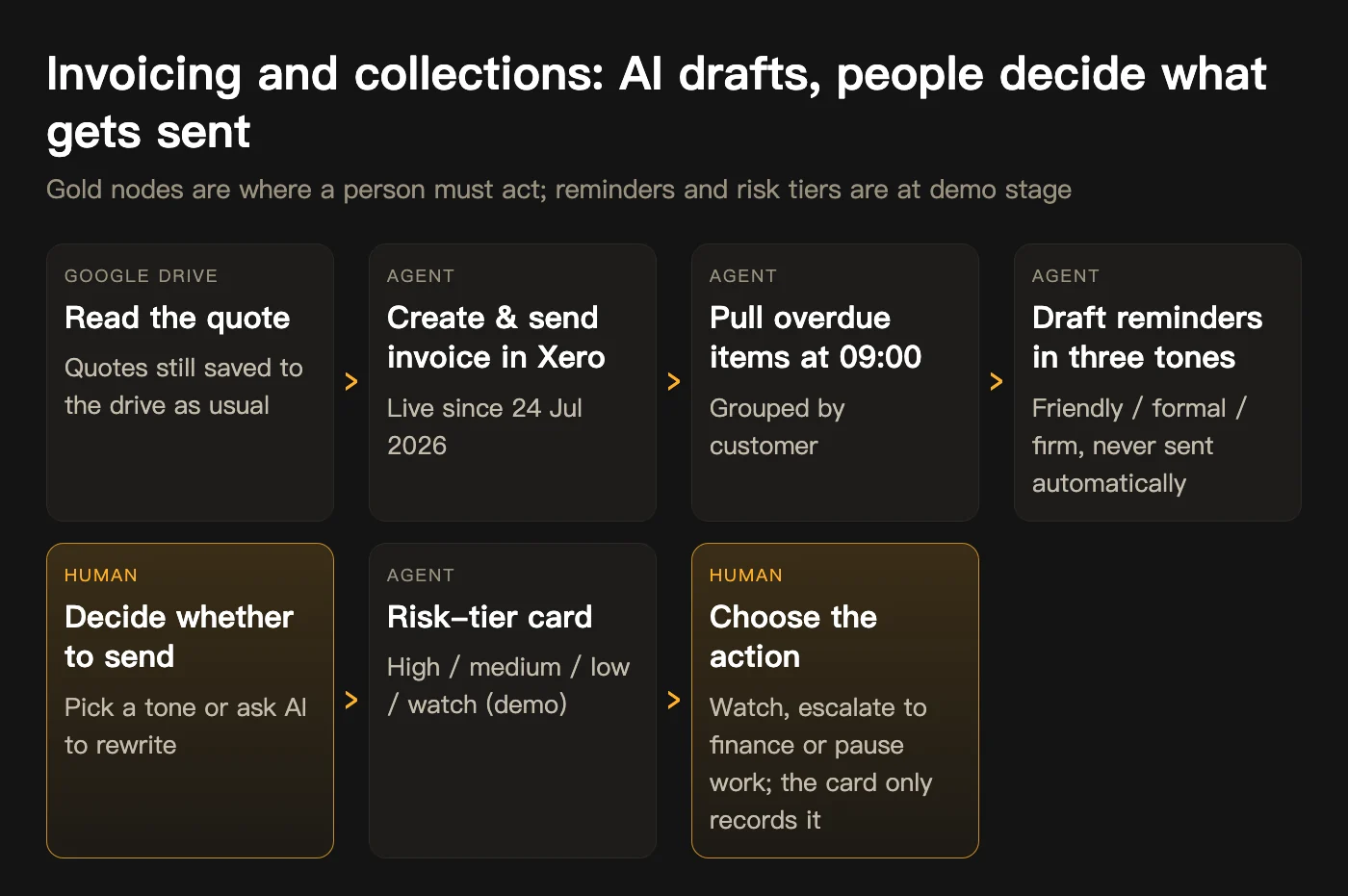
A Lark Base table sits in the middle as the data layer, mirroring the ledger the team already used for collections. AI reads, sorts and drafts; anything that leaves the company, and every decision about a customer, stays with people.
- AI does: reads quotes in Google Drive, creates and emails the invoice in Xero; at 09:00 NZT each day pulls overdue items from Xero, groups them by customer and drafts reminders in three tones (friendly, formal, firm); sorts customers into high, medium, low and watch tiers by days overdue and credit limit, and posts a Lark card.
- People do: review each draft, decide whether to send it, pick a tone or ask AI to rewrite it; on the risk card, choose to keep watching, escalate to finance or pause work. The card records the choice and acts on nothing.
Timeline
Dates below come from the project record.
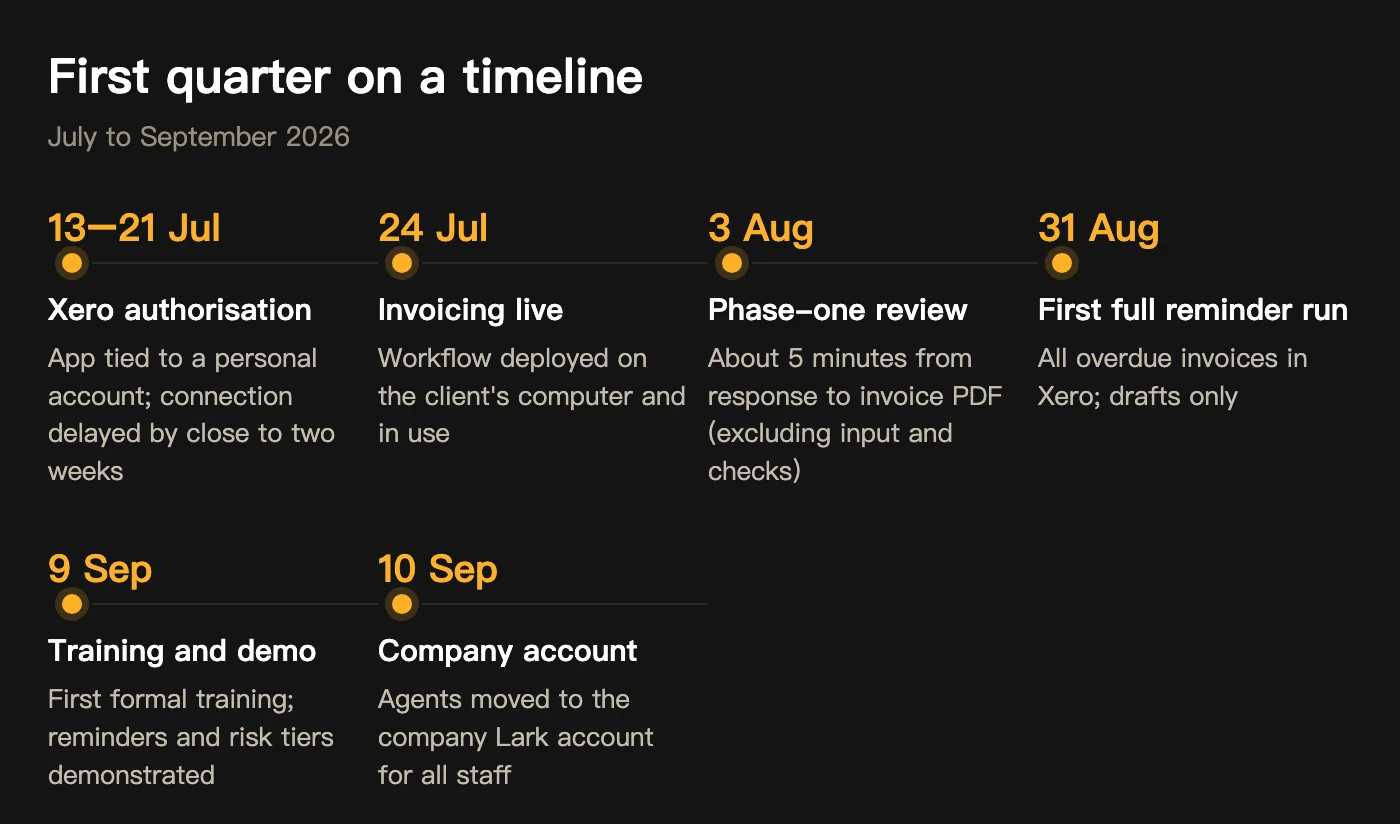
- 13–21 Jul 2026Xero app authorisation went back and forth, delaying the connection by close to two weeks
- 24 Jul 2026Invoicing workflow deployed on the client's computer and in use
- 3 Aug 2026First-phase review: about 5 minutes from agent response to invoice PDF (excluding input and human checking)
- 31 Aug 2026Collections agent's first full run across all overdue invoices in Xero
- 9 Sep 2026First formal user training; quarterly review with a demo of reminders and risk tiers
- 10 Sep 2026Agents moved to the client's company Lark account so all staff can use them
Current status and boundaries
Invoicing is live. Reminder drafts and risk tiers are still at demo stage: drafts are never auto-sent, and risk cards only log management's choice. Fully automatic sending of statements or reminder emails is outside the current scope; every external email is still checked and sent by a person.
What we learned
A Xero authorisation we expected to take minutes took close to two weeks, because the app was tied to a personal account and ownership had to be confirmed step by step. The agents were also first built under a personal account and only moved to the company account on 10 September 2026. We now confirm account and organisation ownership in week one, and we run user training before go-live, not after.
Scope note: an anonymised case is a summary of project records with client names, people and amounts removed. This page draws on those records; client names, people and amounts are withheld. Dates and figures come from project records and some have not been confirmed in writing by the client. The delivery status is as labelled at the top; results vary with each business’s systems, data and involvement and are not a promise to other businesses.