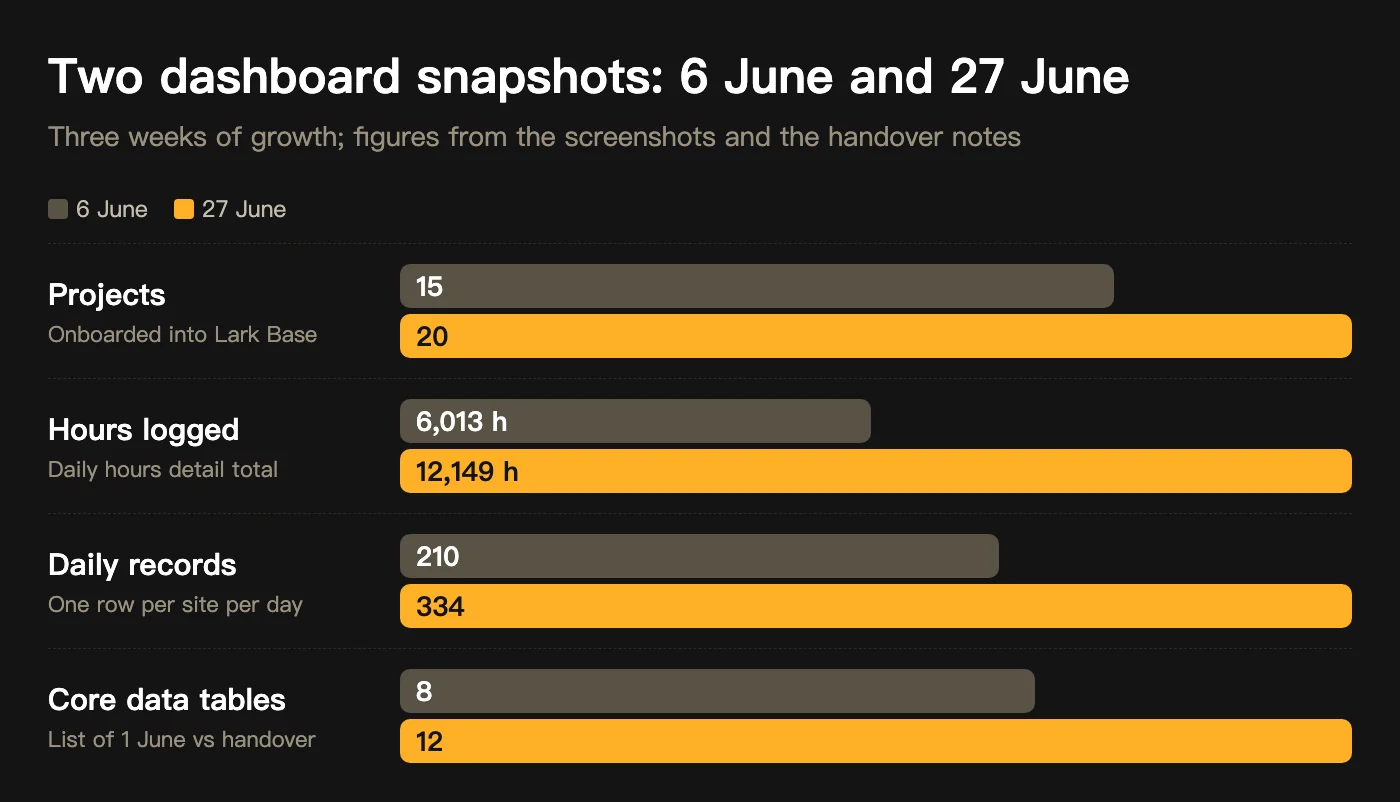
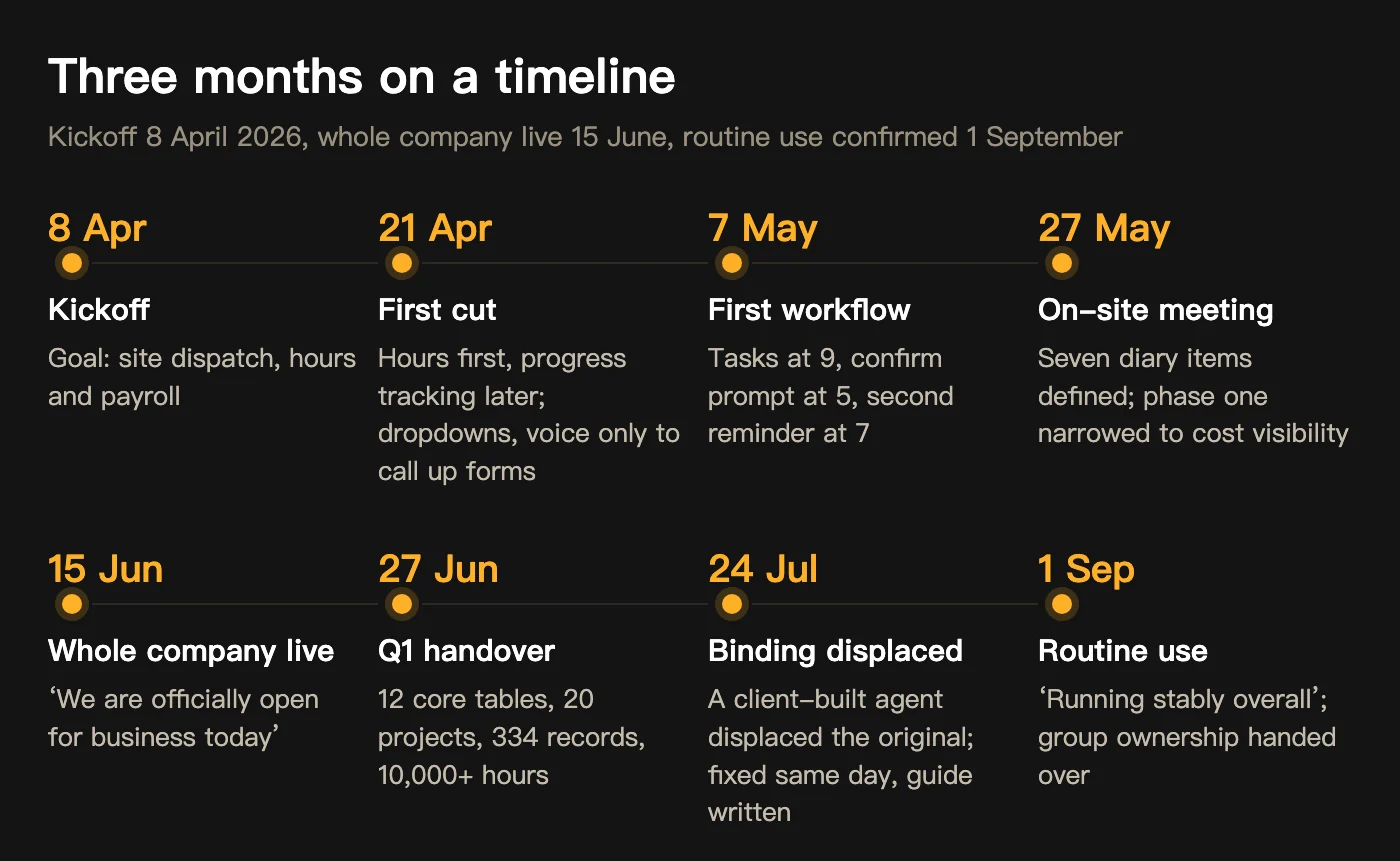
This New Zealand AI implementation case study is about a South Island construction company that works as both head contractor and carpentry subcontractor, with dozens of workers across close to twenty projects. Hours were recalled by foremen after work and totalled in Excel; the owner could not see labour cost by project. Kickoff was 8 April 2026, the first workflow ran on 7 May, the whole company went live on 15 June. At the first-quarter handover on 27 June: 12 core tables, 20 projects, 334 daily records and more than 10,000 hours in Lark Base. The diagrams below tell what happened in between.
How were hours recorded before?
Internal communication ran in WeChat groups, external in email, and hours in Excel: a foreman recalled after work who had done how many hours, and the accountant totalled it at month end for payroll. On 9 April the owner set out the need: a system where site workers’ hours and projects are filled in daily and tracked, so that site managers, workers, accounting and admin can each quickly see what they need; on 28 April VO (Variation Order) records and a site diary were added. Taken apart, that is three things: who went where for how long, what happened on each site each day, and how much labour each project has consumed. No table connected them.
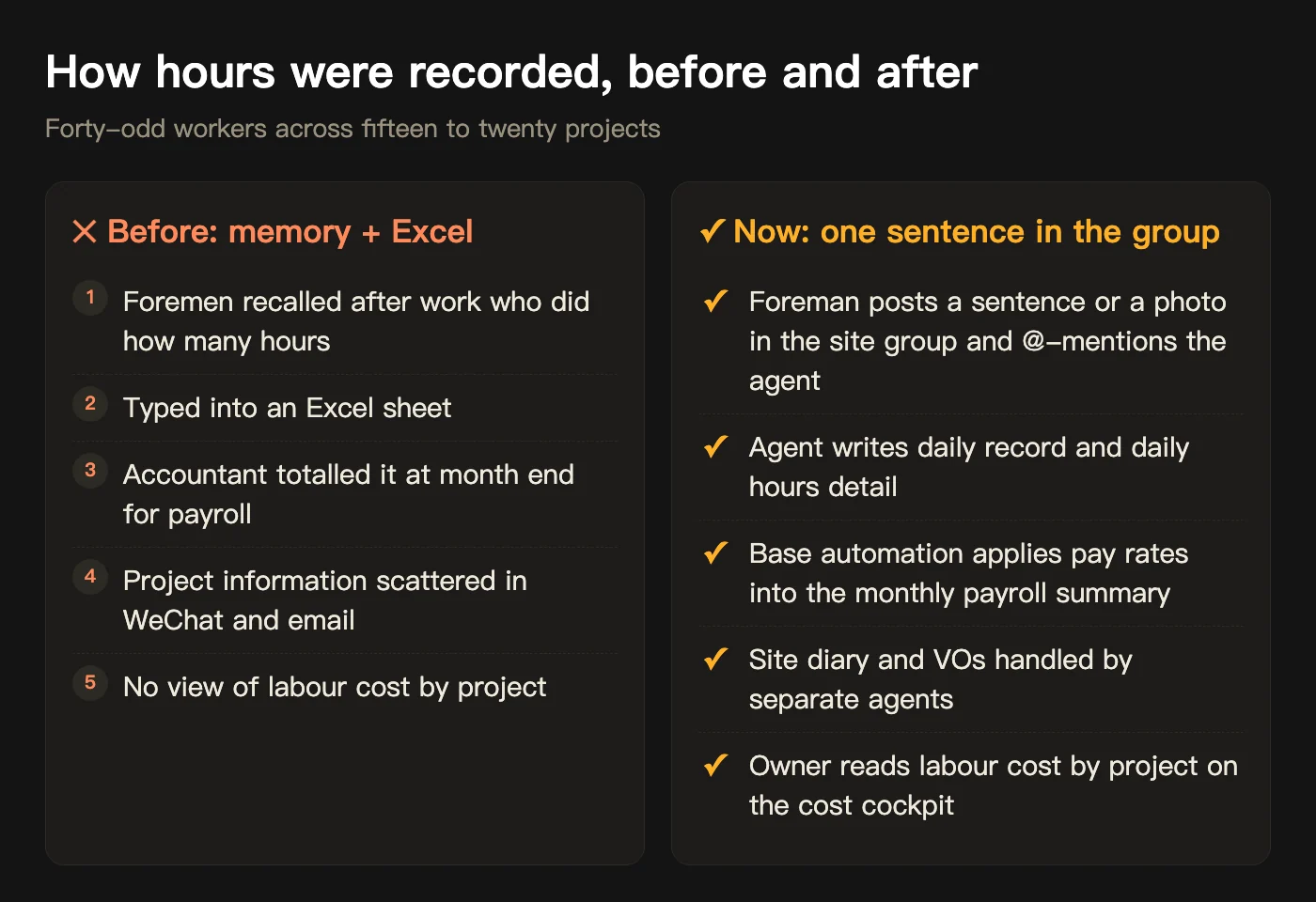
Where to cut first: hours, not the whole system
At the scoping session on 21 April we set phase one as hour tracking: the biggest data volume, happening every day, easiest to check for right and wrong; progress tracking went to phase two. Two principles were fixed that day: whatever a foreman fills in comes from dropdowns and simple checks, no free typing on a phone; voice is only used to call up the form, never to issue commands. On 22 April the plan became a five-step flow and four roles, with workers needing no company account, only an external Lark group for notices.
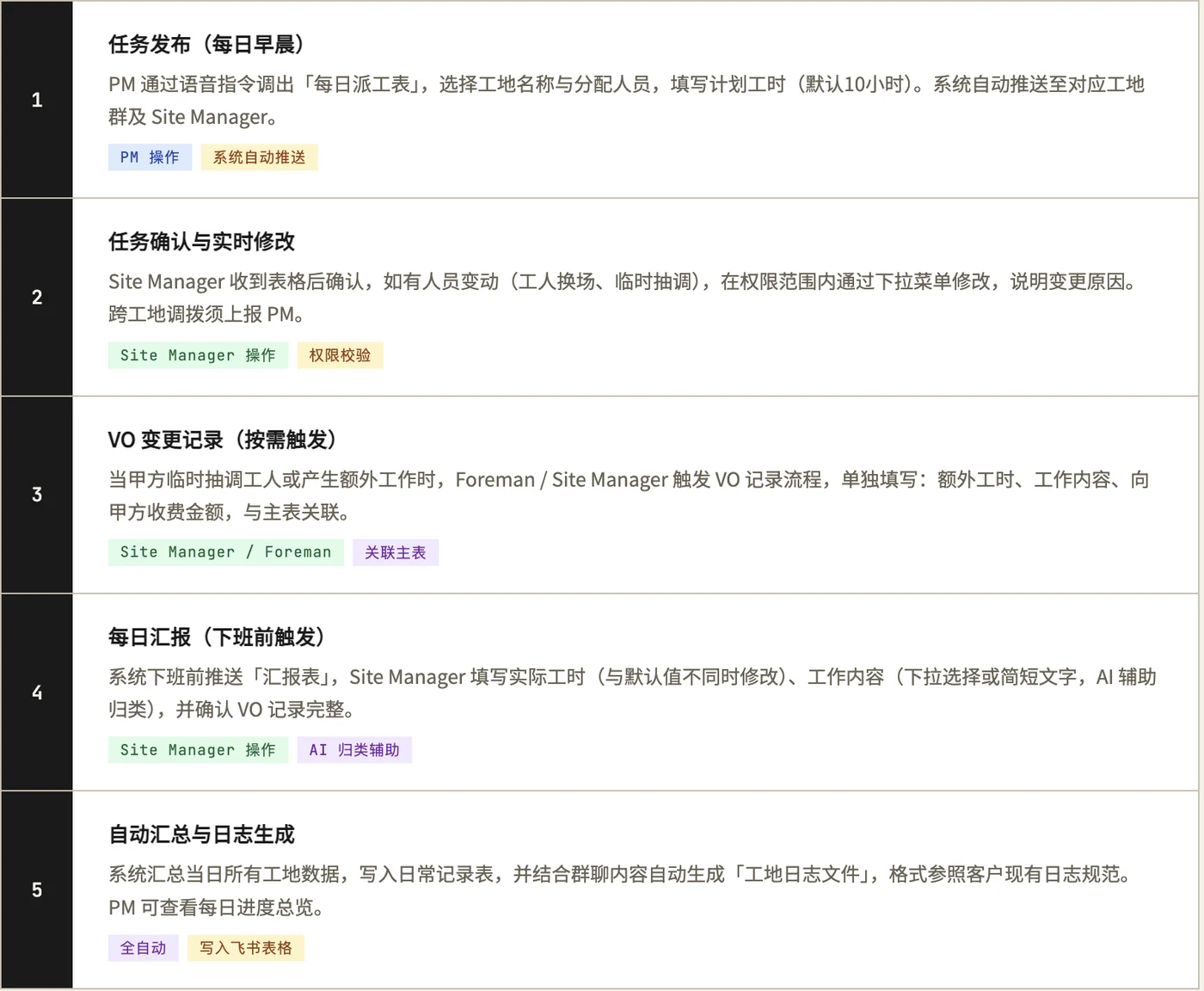
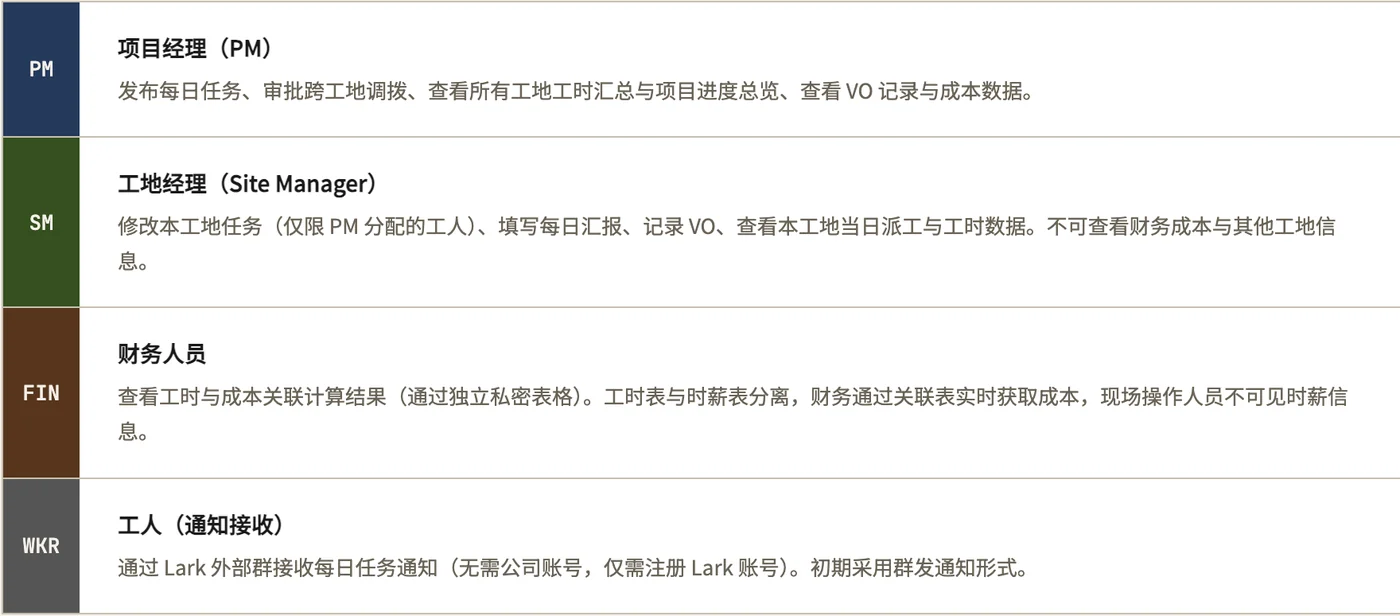
What did we connect?
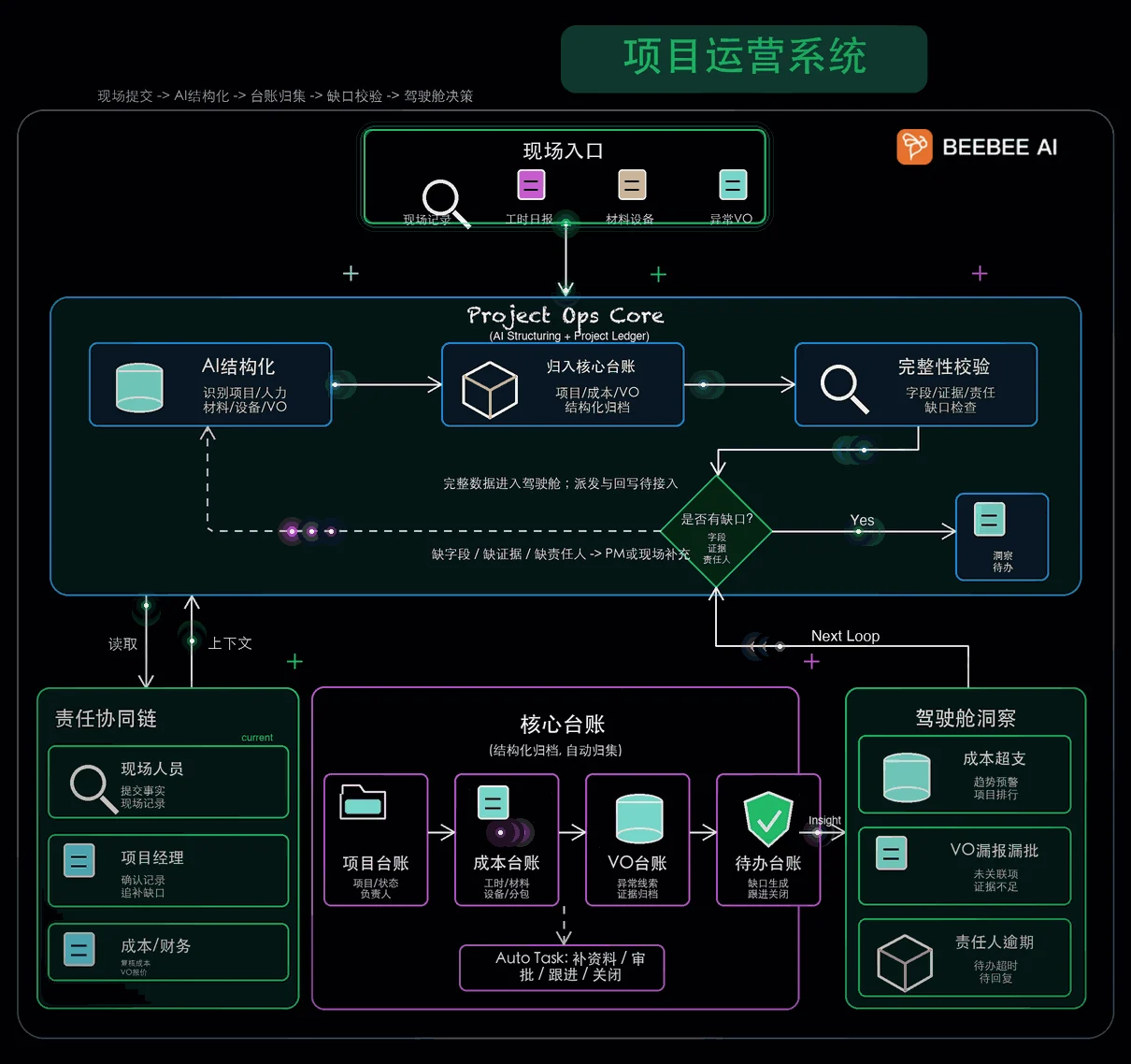
Still connect, don’t replace: workers still talk in the group, the owner still reads tables, and a layer of agents that write tables sits in between. One Lark group per site; the foreman posts completed work, incidents and photos and @-mentions the agent. The agents run on a Mac mini in the client’s office under OpenClaw, one each for hours, site diary and VOs. The foundation is one Lark Base: the daily hours detail table is the single source of hours and labour cost, and hours become payroll through a Base automation applying pay rates, with no LLM involved. The agent does not change rates, compute payslips or approve anything.
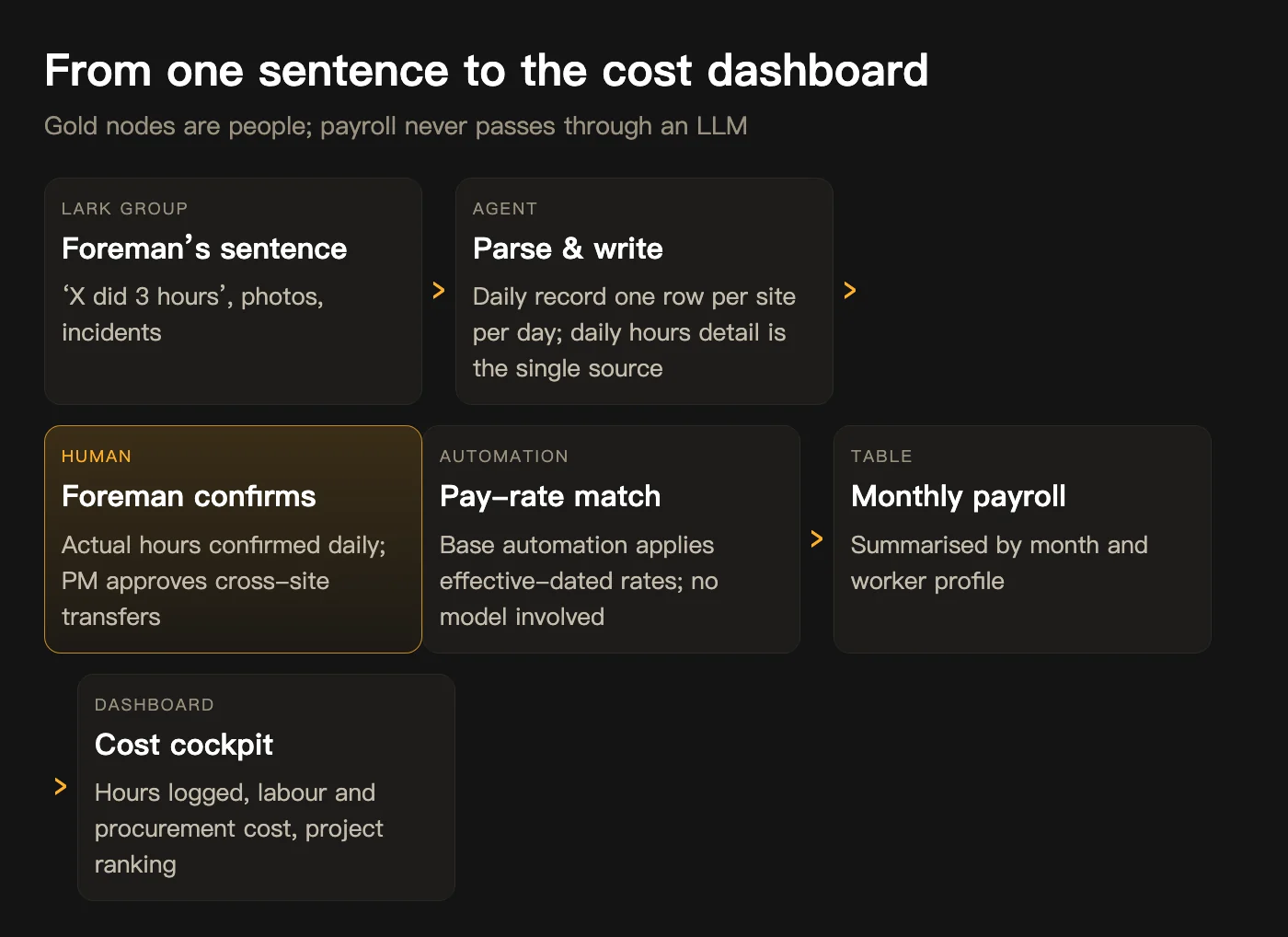

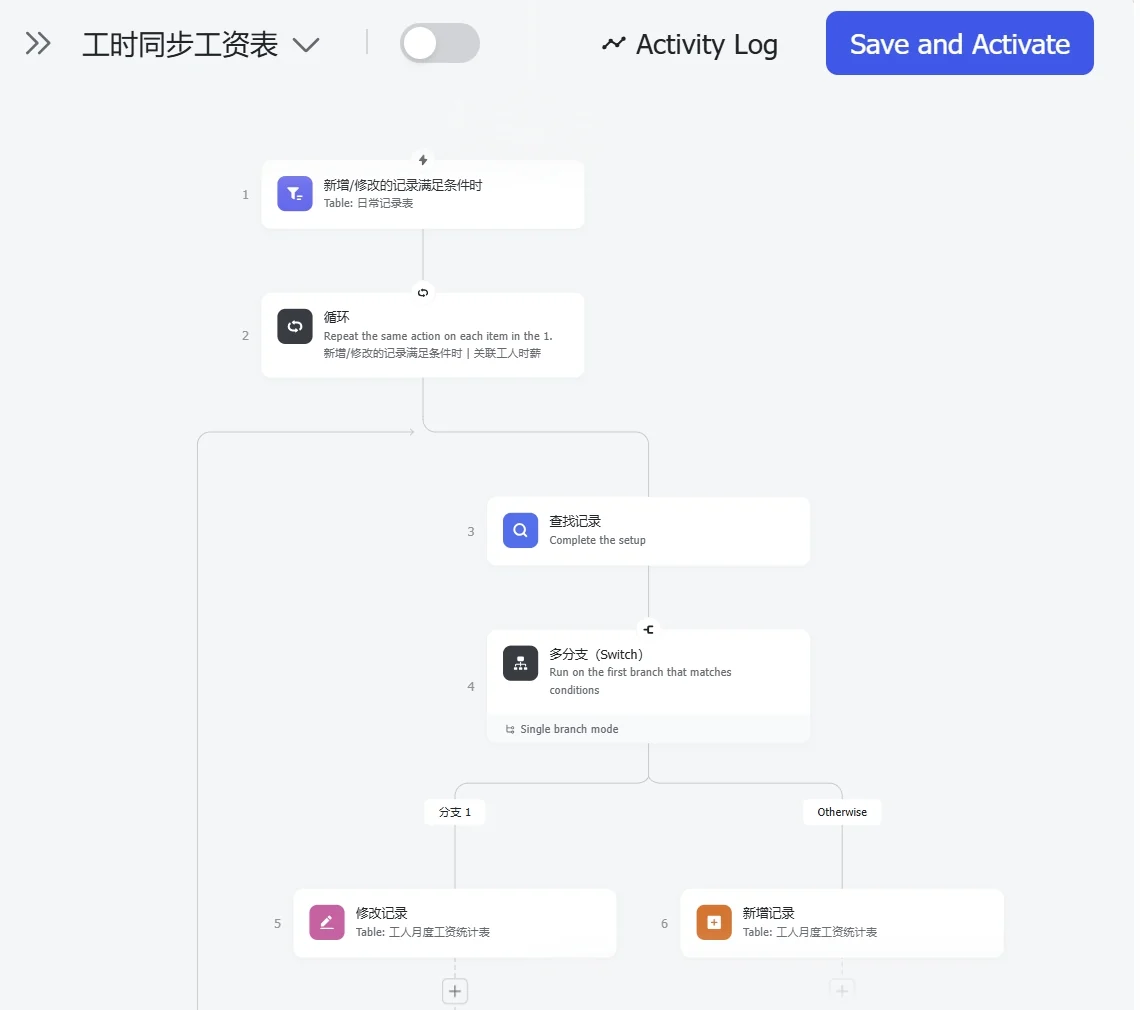
Month one: the problem was not features, it was stability
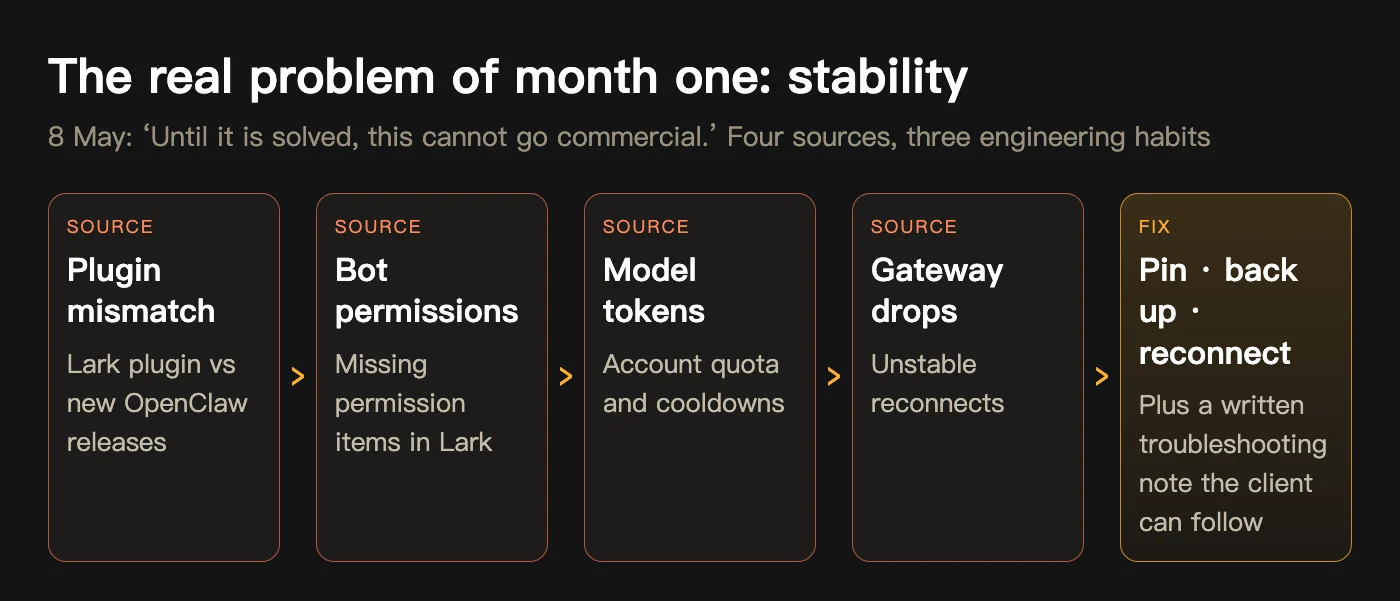
On 7 May the first workflow ran end to end: tasks pushed by site at 9 a.m., confirmation prompts at 5 p.m., a second reminder at 7 p.m. On 8 May our business consultant wrote in the internal group: ‘OpenClaw’s stability has been the biggest problem. Until it is solved, this cannot go commercial.’ The instability had four sources, and the fix was not mysterious: pin a stable version, back up before changing anything, add configuration so reconnects hold, and leave a troubleshooting note the client can follow. In the same period we also settled the input question: a foreman stands on site with dust on his hands, so the answer is not in the tables but in the keyboard. A speech-to-text keyboard on the phone, see the words, then send. No code was written for this.
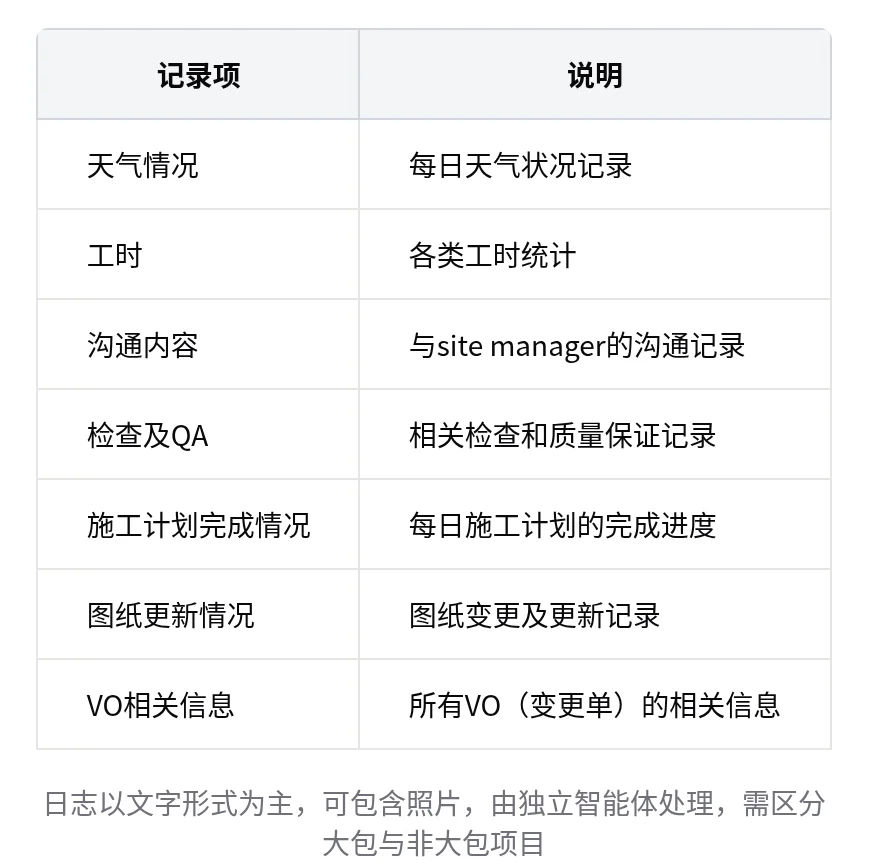
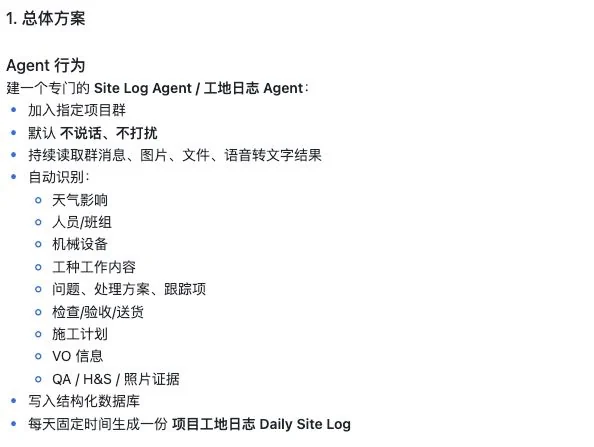
The on-site meeting on 27 May: defining the site diary
On 27 May we went to the client’s office and the project manager attended for the first time. The meeting listed the seven items a site diary must record, handled by a separate agent that generates one Daily Site Log a day; lump-sum and non-lump-sum projects differ, so an attribute field went onto the project table; VOs are submitted by foremen in plain language, and because principals sign in two ways, two Excel formats had to be exportable. The meeting also narrowed phase one to one goal: cost visibility.
June: go-live, upgrade, rule changes
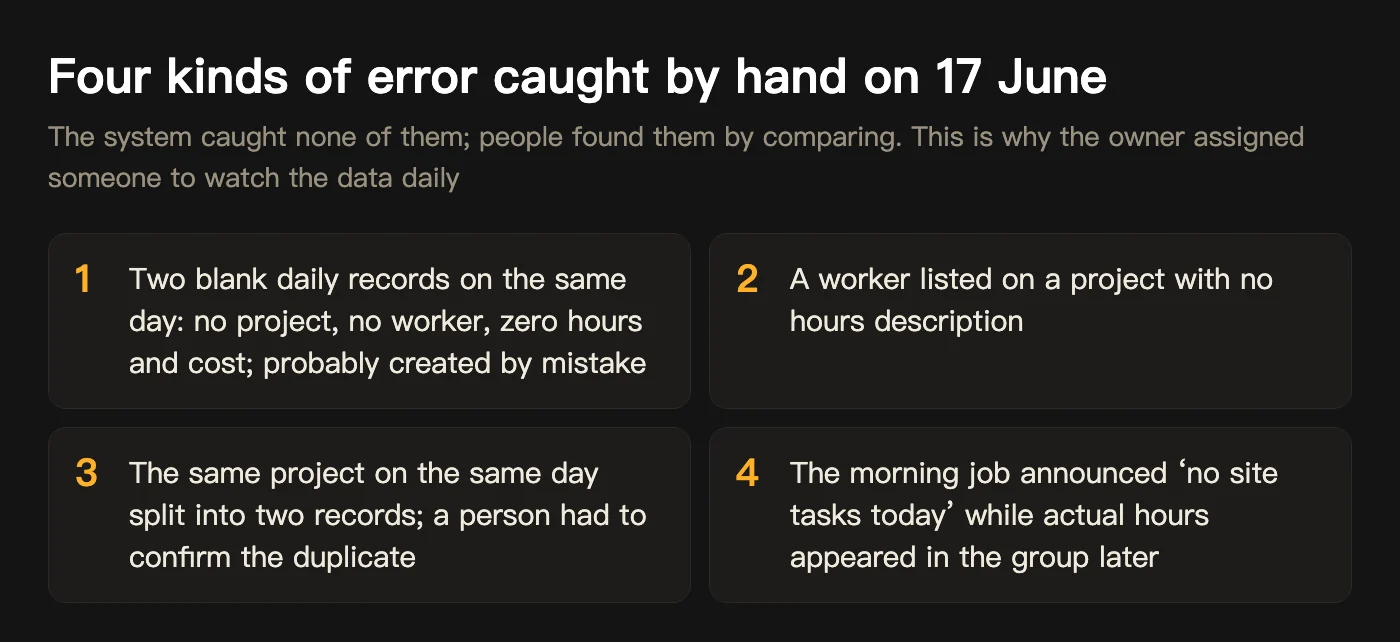
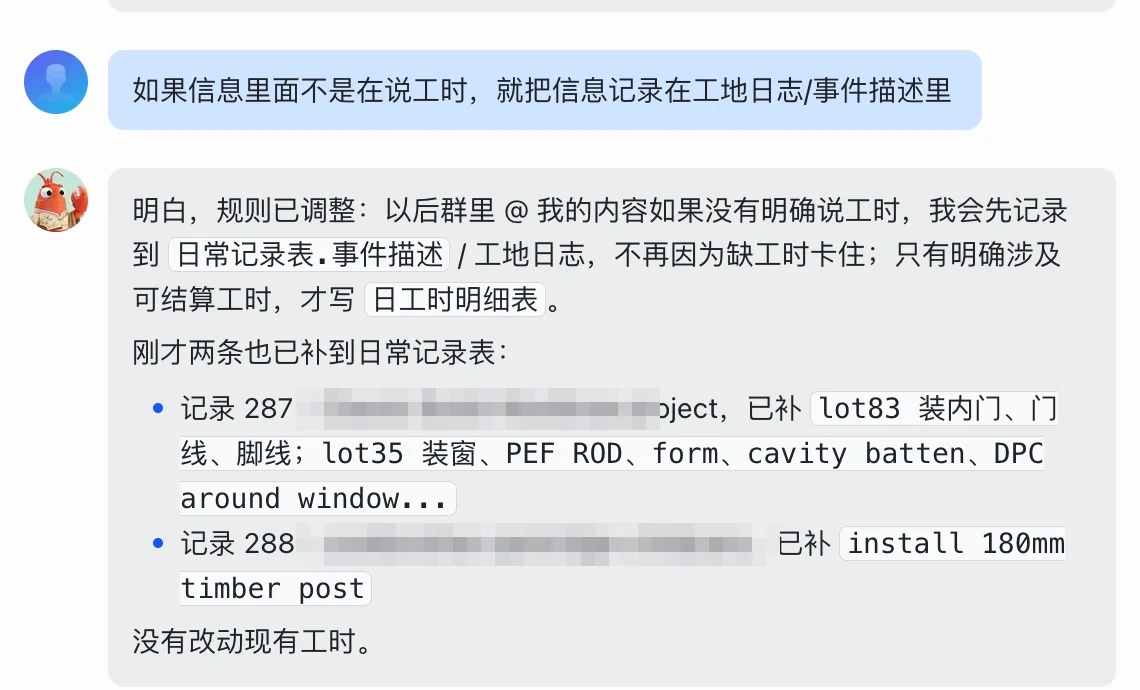
From 1 to 3 June everything was deployed to the Mac mini in the owner’s office, and on 15 June the whole company went live. Four things changed within two weeks: the Base moved to the professional plan (20,000 rows per table), the time zone was corrected from Beijing to New Zealand, the payroll table was hidden from group members and a separate technical group created, and VO hours became a tag on the daily hours detail. A manual audit on 17 June caught four kinds of data error that the system had not stopped; the same day the owner changed a rule in one sentence: messages not about hours go to the site diary or event description, and only billable hours go to the daily hours detail.

The first-quarter handover on 27 June
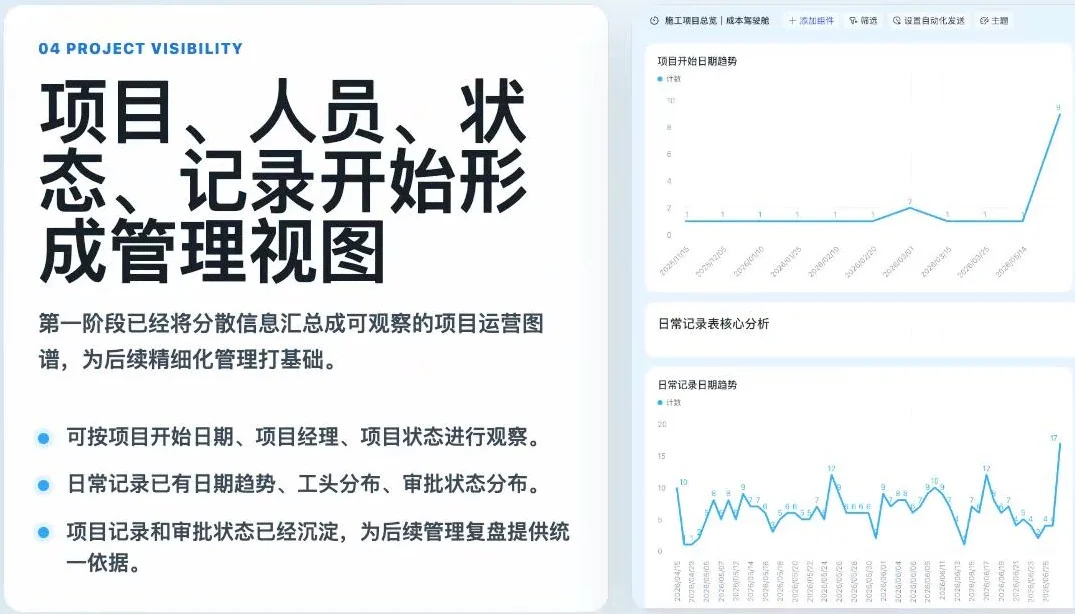
The handover figures: system about 85% complete, 12 core tables, 20 projects onboarded, 334 daily records, more than 10,000 hours logged, with the dashboard that day showing 12,149. Management sees the business on one screen, and every table can be questioned in plain language. The owner decided two things in the room: assign one person to watch system usage every day, and move staff from Excel to Lark with a grace period before making it mandatory. Approvals stay outside the system; cost approval is still done offline. From the second quarter the client’s team operates and we coach.
After handover: exit, fix, hand over
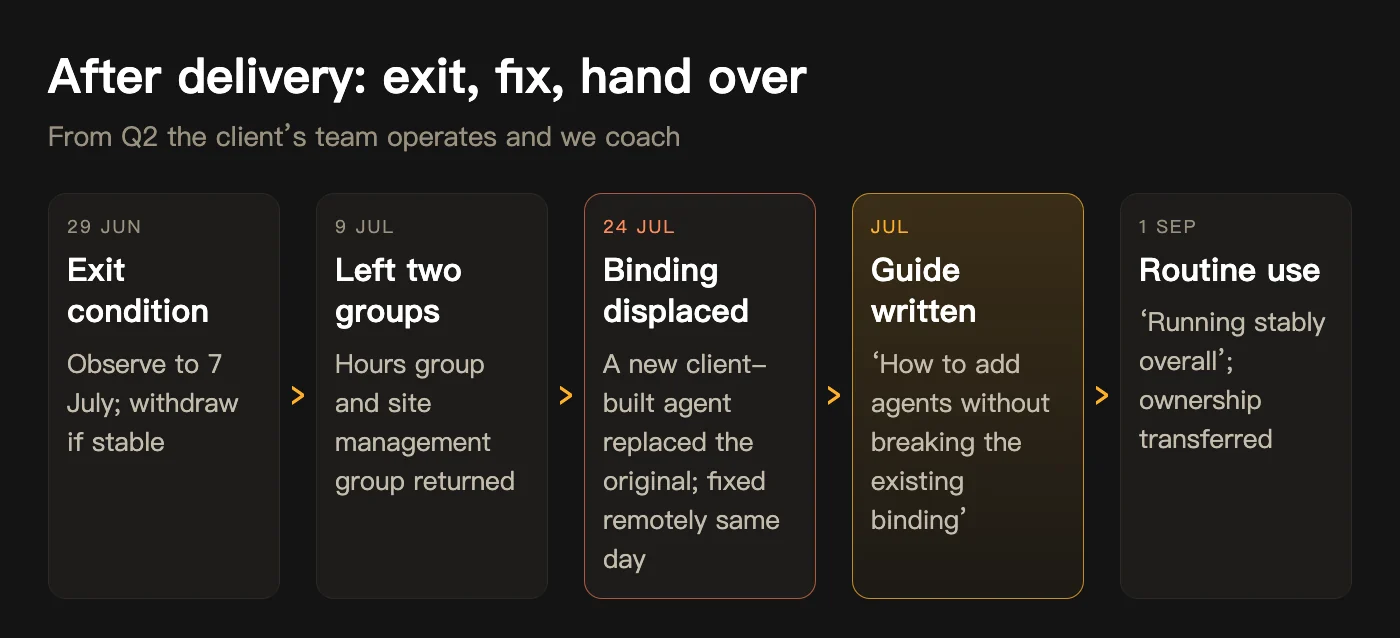
On 9 July our people left the hours group and the site management group and handed them back, which also protects the client’s privacy. On 24 July a new agent the client had built displaced the original agent’s Lark binding; the engineer fixed it remotely the same day and wrote a guide on how to add agents without breaking the existing binding, a gap in our handover documents. On 29 July a worker @-mentioned the agent for a whole week’s hours and got 49.5 hours with a day-by-day breakdown; nobody opened Excel. On 1 September the system was confirmed stable and in routine use, and group ownership was transferred to the client.
Four lessons from three months
Looking back, the expensive part was not development. It was these four judgements.
- Stability is the first feature: Pin versions, back up first, write a troubleshooting note the client can follow. These come before any model capability.
- The entry point decides adoption: How a foreman standing on site enters data decides whether the system is used. Dropdowns, speech-to-text, no accounts for workers: none of those was done by a model.
- Go-live is not the finish line; someone has to watch the data daily: None of the four error types on 17 June was caught by the system. The owner assigning one person to check daily is the real reason it reached routine use.
- Before handing over, write down how not to break it: Role permissions, the steps for creating a new agent, where to look first when something goes wrong: these ship with the system.
Where is it now?
The system is run by the client, and our people are no longer in the hours group. In the second quarter the client’s team started a second project on the same Lark plus OpenClaw foundation: automating H1 insulation compliance calculations for their associated design practice, with us coaching. Whether a system stays depends on whether the person least willing to change is willing to use it.
Evidence boundary: every number in this article comes from the project group chat records, the notes of the first-quarter handover on 27 June and that day’s dashboard screenshots, each dated in the text. ‘12 core tables, 20 projects, 334 records, 10,000+ hours’ is a snapshot as of 27 June; the client has run the system since, and we no longer hold current figures. The client is a construction company on New Zealand’s South Island and is anonymised; company and personal names in screenshots have been cropped or masked, areas containing amounts and project names are pixelated, and payroll figures were not used.
In this New Zealand construction AI implementation case study, what does the AI do for site hour tracking and what do people do?
Do we need to replace Excel, or make workers install a new app?
How long does a site hour tracking system take to go live?
Who can see payroll and cost data?
What Is a Boss AI Clone? How to Turn a Business Owner’s Judgement into an AI Agent Your Team Can Ask
What is a boss AI clone, how is it different from ChatGPT, how is one built, how long does it take, how is it installed in Lark or WeCom, and what can it not do? Answered with the BossClone six-layer process, walkthrough screenshots and records from six clients.
Read articleHow Businesses Use AI to Improve Efficiency: Five Workflow Levers From Dated Project Records
How do businesses use AI to improve efficiency? Not by replacing software, but by connecting AI agents to the repetitive, rule-based, data-ready steps inside existing processes. Using four BEE Sigma projects from 2026 with dated records (91.48% invoice routing, site timesheets in 10 weeks, sales reconciliation in 11 days, cross-border orders in 90 days), this article sets out five efficiency levers: document routing, field data entry, cross-system reconciliation, customer orders and market reach, with what the AI does, what people do and how long each takes.
Read article